Snap, forget,
pick at peak.
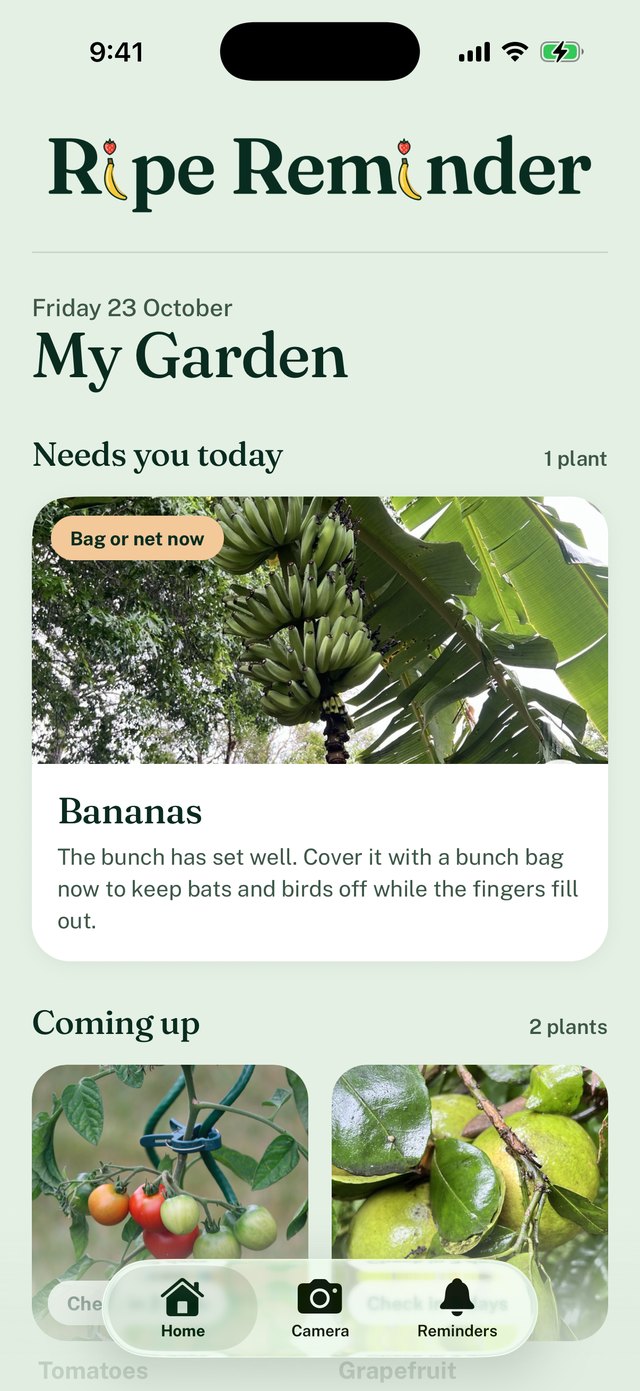
Take a photo of your tomatoes, lemons or berries. Ripe Reminder works out when they'll be ready and reminds you when to pick. No more fruit rotting on the vine.
Free test version for Android (about 130 MB, best on Wi-Fi). How to install it
- How it works
- 01
Snap.
Point your phone at the fruit you're waiting on. Tell us what it is the first time, and that's it.
- 02
Forget.
Ripe Reminder reads colour and size, and picks the day you should come back.
- 03
Pick at peak.
Get a nudge when it's nearly ready. Re-snap to fine-tune the next check.
Help us test Ripe Reminder.
The Android test version is free and ready now. The iPhone version is coming soon (get notified). Try it on your own garden and tell us what works, and what doesn't.
Download
On your Android phone, tap Download for Android. It's the app file straight from us, before it's on the Play Store.
Install
Open the downloaded file and tap Install. If your phone asks, allow your browser to install apps first.
Snap a plant
Photograph something fruiting. Its first check arrives in seconds, then a reminder when to come back.
Good to know while testing
- Each phone gets 10 photo checks a day.
- Tap Send feedback in the app (Reminders tab) to tell us anything. Every message is read.
- On iPhone? The iPhone test version is coming soon through Apple's TestFlight. Get notified.
- How your photos are handled: privacy policy.
One job, done well.
No garden planners, no 40-tab dashboards. Just the reminder you actually need, at the right time.
Ripeness from a photo
AI reads how far along your fruit is and explains why, so you can trust the date it gives you.
Your whole patch, one list
Tomatoes, lemons, strawberries. Every plant gets its own countdown, sorted by what's ready next.
A photo timeline per plant
Watch green turn to red over the weeks. Strangely satisfying, and it makes the next guess sharper.
Reminders that adapt
Snooze it, or tap "not ready yet", and the next estimate learns from it.
Good to know
When is it launching?
It's in testing now. Android testers can install it today. The iPhone test version comes soon, then the App Store and Play Store once testing is done.
What can I track?
We're starting with fruiting plants where ripeness shows on the outside: tomatoes, capsicum, chillies, berries, citrus, stone fruit and similar. More to come.
iPhone or Android?
Android: the test version is available now. iPhone: coming soon through Apple's TestFlight. Leave your email and we'll tell you when it's ready.
Will it cost anything?
Testing is free. After launch there'll be a free plan, with an optional paid upgrade for bigger gardens. Testers will hear about any perks first.
What happens to my photos?
Your plants and photos stay on your phone. When the app checks a photo, a smaller copy is sent to our server and to Claude, the AI that reads ripeness, then discarded. Nothing is sold or used for ads. The privacy policy has the details.
Never miss a harvest again.
Android testers can start today. On iPhone? Leave your email and we'll tell you when the iPhone version is ready.
iPhone waitlist
One email when the iPhone version is ready. Unsubscribe any time.